YouTube to MP3
Paste your YouTube link
Paste a public YouTube video URL and extract the audio track as MP3. Works with standard watch links and youtu.be short URLs.
For personal use only. Respect copyright and YouTube's terms of service. GetTwitterRetweet is not affiliated with YouTube or Google.
Audio extraction
Pulls the audio track from the video and delivers it as a downloadable MP3 file.
Browser-based
No desktop software or browser extension required — works on desktop and mobile.
Grow on YouTube
Promote your music and videos with YouTube views and likes.
Why People Convert YouTube Videos to MP3
A lot of YouTube content is audio at heart — podcasts, lectures, interviews, music uploaded by the rights holder, ambient tracks, voiceovers. But YouTube only streams video, and there's no built-in way to extract just the audio track. This tool does that — paste a public video URL, get an MP3, done.
No login. No app install. No converter site burying the download behind five ad redirects.
What this tool actually does
It extracts the audio track from a public YouTube video and converts it into an MP3 file. What you get is the actual audio as YouTube stored it, re-encoded into MP3 format at a standard listening quality — not a re-recorded copy, not audio captured through a microphone pointed at a speaker.
It works on any publicly accessible YouTube video. Unlisted and private videos won't process, and that's the correct boundary — this tool is built for content you have a legitimate right to extract, such as your own uploads, royalty-free tracks, podcasts, or material you have permission to use.
Who uses it
The most common use case is creators converting their own video uploads into audio-only versions — useful for podcast distribution, where a YouTube video doubles as the source but listeners want an MP3 feed instead. Lecturers and educators do the same with recorded talks, turning a video lecture into something students can listen to during a commute.
Musicians and producers who've uploaded their own royalty-free or original tracks to YouTube use it to pull a quick MP3 version without re-exporting from their original production files — handy when the original session file isn't readily accessible.
It's also useful for anyone converting permission-cleared interviews, voiceovers, or ambient audio for editing projects, where the audio track is needed separately from the video.
How it works
- Copy the URL of the YouTube video whose audio you want to extract.
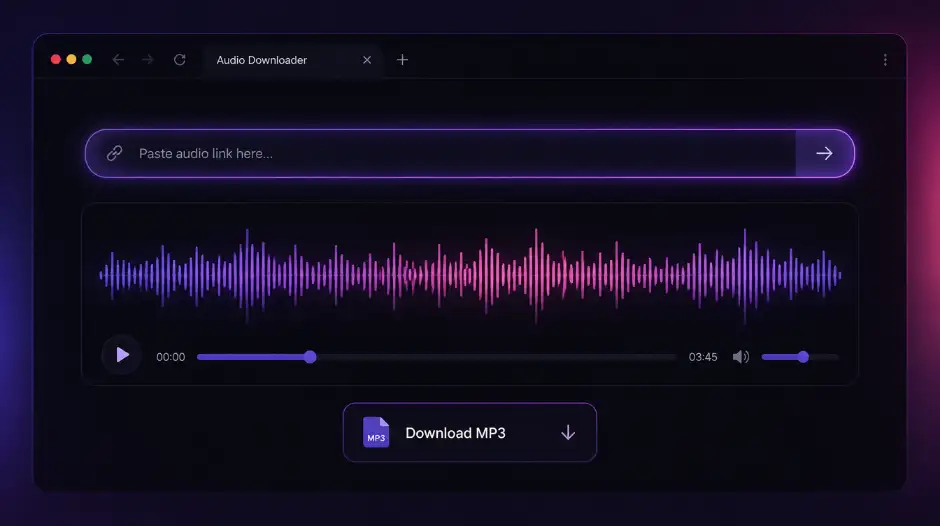
- Paste it into the field above and click Convert to MP3.
- Wait a moment for the conversion to process.
- Click Download to save the MP3 file to your device.
If the conversion fails, double-check the video is public. Unlisted and private videos can't be processed. Opening the link in a private browser window without being logged into YouTube is the quickest way to confirm accessibility.
On audio quality
YouTube stores audio at the bitrate it was uploaded with, typically compressed for streaming rather than archival quality. This tool extracts that audio track directly and converts it to MP3, which means you're getting the best version available from that source — not something degraded further by re-recording through a speaker and microphone, which is the only alternative without a tool like this.
A note on rights
This tool only works on publicly accessible videos, and using it is on you — extracting audio from content you don't own or don't have permission to use can run into copyright issues depending on the source and your intended use. It's built for legitimate cases: your own content, royalty-free material, or anything you have clear rights to extract.
Free, no sign-up required
Nothing to install, nothing to register, no usage cap behind a paywall. The tool runs entirely in your browser, processes the URL, and hands you the MP3. Nothing is stored, nothing is logged.
Frequently asked questions
Do I need a YouTube account to use this?
No. Paste any public YouTube video URL — no login, app install, or browser extension required.
What audio quality will I get?
The audio track as YouTube stored it, converted to MP3 at standard listening quality. You won't exceed the source bitrate, but you avoid the extra loss from recording through a speaker and microphone.
Why won't my video convert?
Private, unlisted, age-restricted, and deleted videos cannot be processed. Open the same URL in a private/incognito window while logged out — if YouTube asks you to sign in or the video doesn't play, the tool cannot access it either.
Does it work on Shorts and long-form videos?
Yes. Any public YouTube video URL with an audio track — Shorts, uploads, podcasts, and lectures — as long as the video is publicly accessible.
Is it legal to convert YouTube videos to MP3?
Converting content you own or have permission to use is fine. Respect copyright — do not extract audio from someone else's work without rights. This tool is not affiliated with Google or YouTube.
Can I convert private or unlisted videos?
No. The tool only works on publicly accessible videos. If the link doesn't play in a logged-out browser window, it won't process here either.
Does this tool store my links?
No. URLs are processed to return download links. We don't log what you convert or require an account.
How it works
- Copy the YouTube video URL.
- Paste it above and click Get audio.
- When the title loads, click Get download link, then Download MP3.